


Essential Guide to Ethernet Cabling with Desert Computer Solutions
Reliable internet and network connections are the backbone of any home or business setup. When wireless signals falter or speed drops, Ethernet cabling steps in to provide a stable, fast, and secure connection. Desert Computer Solutions offers expert Ethernet cabling services designed to meet the needs of modern homes and offices. This guide explains everything you need to know about Ethernet cabling, how it works, and why Desert Computer Solutions is a trusted partner for your networking needs.
What Is Ethernet Cabling and Why Does It Matter?
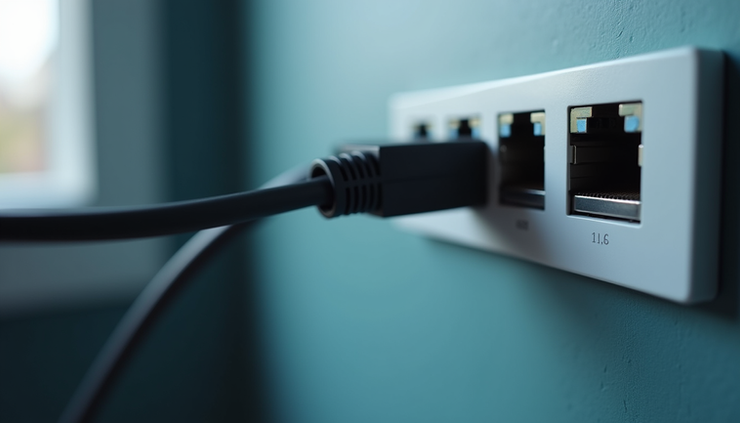
Ethernet cabling refers to the physical cables used to connect devices in a network. Unlike Wi-Fi, which relies on radio waves, Ethernet uses cables to transmit data directly between devices. This direct connection reduces interference and increases speed and reliability.
Ethernet cables come in different categories, such as Cat5e, Cat6, and Cat6a, each supporting different speeds and bandwidths. For example:
Cat5e supports speeds up to 1 Gbps, suitable for most home networks.
Cat6 supports speeds up to 10 Gbps over shorter distances, ideal for businesses or high-demand users.
Cat6a offers enhanced shielding and supports 10 Gbps over longer distances.
Choosing the right cable depends on your current needs and future plans. Desert Computer Solutions helps customers select and install the appropriate cabling to ensure long-term performance.
Benefits of Using Ethernet Cabling
Ethernet cabling offers several advantages over wireless connections:
Consistent Speed: Ethernet provides stable speeds without the fluctuations common in Wi-Fi.
Lower Latency: Ideal for gaming, video conferencing, and streaming where delays can be disruptive.
Security: Wired connections are less vulnerable to hacking compared to wireless networks.
Reduced Interference: Ethernet cables are shielded from common sources of wireless interference like microwaves or other devices.
Scalability: Easy to add more devices or upgrade to higher speeds by replacing cables or switches.
For businesses, these benefits translate into smoother operations and less downtime. For homes, they mean better streaming, gaming, and work-from-home experiences.

How Desert Computer Solutions Installs Ethernet Cabling
Professional installation is key to getting the most out of Ethernet cabling. Desert Computer Solutions follows a clear process to ensure quality and reliability:
Assessment
Technicians evaluate your space to determine the best cable routes and identify potential obstacles.
Planning
A detailed plan is created, including cable types, lengths, and termination points.
Installation
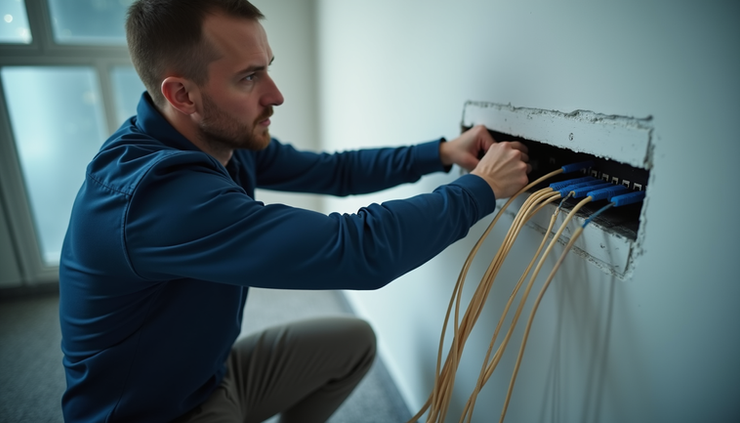
Cables are run through walls, ceilings, or conduits with minimal disruption. Technicians use tools to ensure cables are properly terminated and tested.
Testing
Each cable is tested for speed, continuity, and interference to guarantee optimal performance.
Documentation
Customers receive a map of cable runs and test results for future reference.
Desert Computer Solutions also offers upgrades and repairs for existing Ethernet networks, helping customers maintain fast and secure connections as technology evolves.
Practical Examples of Ethernet Cabling Use
Home Offices
With more people working remotely, a wired connection ensures video calls and file transfers happen without interruptions.
Gaming Setups
Competitive gamers rely on low latency and stable connections that only Ethernet can provide.
Small Businesses
Retail stores, clinics, and offices use Ethernet to connect point-of-sale systems, printers, and computers securely.
Smart Homes
Devices like security cameras and smart TVs benefit from wired connections to avoid Wi-Fi congestion.
Tips for Maintaining Your Ethernet Network
Avoid bending cables sharply to prevent damage.
Label cables clearly to simplify troubleshooting.
Schedule regular checks to test cable integrity.
Upgrade cables if you notice speed drops or if your network demands increase.
Why Choose Desert Computer Solutions for Ethernet Cabling
Desert Computer Solutions stands out for its commitment to quality and customer satisfaction. Their technicians have extensive experience and use industry-standard tools to deliver reliable installations. Customers appreciate their clear communication, timely service, and fair pricing.
Whether setting up a new network or upgrading an existing one, Desert Computer Solutions provides tailored solutions that fit your space and budget. Their support extends beyond installation, offering advice and troubleshooting whenever needed.


Comments