


Reliable IT Service in Phoenix with Desert Computer Solutions
When a workstation freezes during a customer call, a payment terminal drops offline, or a shared file disappears right before a deadline, the problem is bigger than “computer trouble.” It is lost time, lost trust, and extra pressure on everyone trying to keep the day moving.
That is why dependable technology support matters. For Phoenix organizations, the right partner has to understand more than networks and software. They also need to understand the pace of local businesses, the heat and dust of the desert climate, the need for quick answers, and the damage that downtime can cause.
Desert Computer Solutions helps businesses take a steadier, more practical approach to technology. Instead of waiting for something to break, the goal is to keep systems working, protect data, and give people a clear place to turn when something goes wrong.

Why reliable technology support matters in Phoenix
Phoenix businesses depend on technology for nearly every task. Customer records, scheduling, phones, payments, inventory, file sharing, email, remote access, and security systems all rely on stable equipment and well-managed software.
When those systems fail, the effects spread fast.
A short internet outage may stop card payments. A printer issue may slow down check-in at a clinic. A password problem may lock a team member out of the files needed for a bid. A missed security warning may expose sensitive information.
Good support reduces those risks by focusing on three practical goals:
Keep systems available
Computers, networks, email, and cloud tools should work consistently during the business day.
Fix problems quickly
When something breaks, people need clear help without getting passed around.
Plan ahead
Hardware ages, software changes, and security risks grow. Planning keeps small issues from turning into expensive surprises.
Phoenix also brings a few local factors that deserve attention. Heat can be hard on equipment in poorly ventilated rooms. Dust can shorten the life of fans, switches, and computers. Growth across the region means many companies add users, locations, and cloud tools faster than their setup can handle.
A local-minded technology partner can help build systems that fit those conditions.
What Desert Computer Solutions can help businesses manage
The best IT support does not feel complicated. It should make day-to-day work easier, safer, and more predictable. Desert Computer Solutions can support that by helping with the core parts of a business technology environment.
Help desk support that people can actually use
Every organization needs a place to turn when technology gets in the way. Help desk support covers the day-to-day issues that slow teams down, such as:
Password resets
Email problems
Printer and scanner issues
Slow computers
Software errors
Access problems
New user setup
Basic troubleshooting
The value is not just technical skill. It is the ability to respond clearly, explain what is happening, and help people return to productive work.
A strong help desk also records repeat issues. If five people report the same problem, that may point to a larger network, software, or training concern. Solving the source is better than fixing the same symptom again and again.
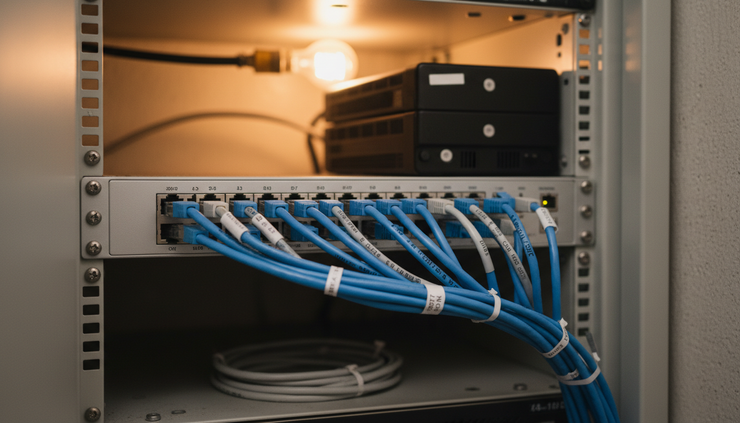
Network support for stable connections
A reliable network is the foundation for nearly everything else. If the network is slow, unstable, or poorly secured, the whole business feels it.
Network support may include:
Router and firewall management
Wi-Fi coverage review
Switch configuration
Cabling guidance
Internet failover planning
Remote access setup
Network security checks
For Phoenix businesses with warehouses, clinics, retail spaces, service counters, or multiple suites, Wi-Fi coverage can be especially tricky. Thick walls, equipment, distance, and layout can all affect signal quality.
A careful network review can reveal weak spots and prevent daily frustration.
Cybersecurity that matches real risks
Security can feel overwhelming because the threats keep changing. The basics still matter. Most problems start with common weak points: poor passwords, outdated software, unprotected devices, unsafe email links, and missing backups.
A practical cybersecurity plan should cover:
Multi-factor authentication
Device updates and patching
Endpoint protection
Firewall settings
Email filtering
User awareness
Backup testing
Access control
Security monitoring where appropriate
The goal is not to scare people. The goal is to reduce easy openings and make recovery possible if something goes wrong.
Small and midsize businesses are often targeted because attackers expect weaker defenses. That makes consistent security habits important, even for organizations that do not think of themselves as “tech-heavy.”
Backup and disaster recovery planning
Backups are easy to ignore until the moment they are needed. A good backup plan answers several questions before a crisis happens:
What data is being backed up?
How often does the backup run?
Where is the backup stored?
Who checks that it worked?
How quickly can files or systems be restored?
What happens after hardware failure, theft, fire, or ransomware?
A backup that has never been tested is only a hope. Desert Computer Solutions can help businesses create backup routines that match how they actually work.
For example, a company that updates customer records all day may need a different backup schedule than a firm that mostly stores completed documents. The right plan depends on risk, budget, and the cost of being offline.
Managed support reduces surprise problems
Break-fix support waits for something to fail. Managed support pays attention before failure causes serious trouble.
For many organizations, managed service is the better fit because it creates a regular rhythm of maintenance and review. That may include monitoring, updates, security checks, device management, and user support.
This approach helps catch warning signs early. A server running out of storage, a laptop missing updates, or a backup that failed overnight can be addressed before users feel the impact.
That is where a provider like Desert Computer Solutions can be useful. A steady service model gives businesses a clearer way to manage technology without hiring a full internal team.
Reliable technology support is not only about fast repairs. It is about fewer fires to put out in the first place.
For growing teams, Business IT Service can also provide structure. New hires need accounts, email, permissions, devices, and security settings. Departing employees need access removed. Software licenses need tracking. Devices need replacement before they fail at the worst possible time.
A managed approach turns those tasks into a process instead of a scramble.
The signs a business has outgrown reactive IT help
Many businesses start with informal support. A staff member who “knows computers” helps when they can. A vendor is called only when something breaks. This can work for a while, but problems build as the company grows.
Common signs it is time for a more reliable support plan include:
The same issues keep coming back
Employees use workarounds instead of reporting problems
No one knows whether backups are working
Old computers stay in use because replacement planning is unclear
Wi-Fi works in some areas but not others
Software renewals and licenses are hard to track
Password and access control are inconsistent
Security updates are delayed
New employee setup takes too long
Vendors blame each other when systems fail
These problems are not just annoying. They create hidden costs. People lose time, customers wait longer, and managers spend energy chasing technology issues instead of running the business.
With a more organized support model, technology becomes easier to manage. The work does not disappear, but it becomes visible, scheduled, and handled by people who know what to look for.

What to expect from a reliable IT partner
Choosing an IT partner is not only about technical knowledge. It is also about communication, consistency, and trust. A provider may know the tools well, but the relationship still fails if response times are vague or explanations are hard to understand.
A reliable partner should offer several qualities.
Clear communication
Technology problems can be stressful, especially when people do not understand what is happening. Clear communication helps reduce that stress.
Good support explains:
What the issue is
What is being done
Whether there is a workaround
What changed after the fix
What steps can prevent a repeat issue
Plain language matters. Most users do not need a technical lecture. They need to know what happened and what to do next.
Consistent documentation
Documentation keeps support from depending on memory. It should cover equipment, software, passwords held in secure systems, vendor details, network layouts, support history, and key processes.
Good documentation also helps during staff changes, emergencies, and upgrades. If one person is unavailable, the business should not lose access to critical knowledge.
Security-minded service
Every support task touches security in some way. Adding a user, replacing a laptop, installing software, setting up remote access, or resetting a password all require care.
A security-minded IT partner builds safe habits into daily work. That includes limiting access to what each person needs, removing access when roles change, and keeping devices updated.
Planning for growth
Technology should fit the size and direction of the business. A small team may need a simple setup today, but that setup should not block growth six months later.
Planning can include:
Device lifecycle schedules
Cloud storage choices
Phone system changes
Network upgrades
Security improvements
Budget forecasts
Vendor coordination
This kind of planning helps leaders make better decisions before an urgent failure forces their hand.
Phoenix businesses need practical, steady support
Desert Computer Solutions is a fitting choice for companies that want technology to feel less chaotic. The focus should be on useful support, not complicated systems for their own sake.
A Phoenix business may need help setting up a secure network, moving files to the cloud, replacing aging computers, protecting customer data, or creating a backup plan. Another may simply need a responsive team to call when something stops working.
The right IT Service relationship adapts to those needs while still keeping the basics strong.
Here is what that can look like in practice:
Before reliable support
Problems are handled only after they interrupt work
Backups exist but are rarely checked
New users are set up differently each time
Security settings vary by device
Managers chase vendors during outages
After reliable support
Issues are tracked, reviewed, and often prevented
Backups are monitored and tested
Onboarding follows a repeatable process
Devices follow consistent protection standards
Support coordination is clearer
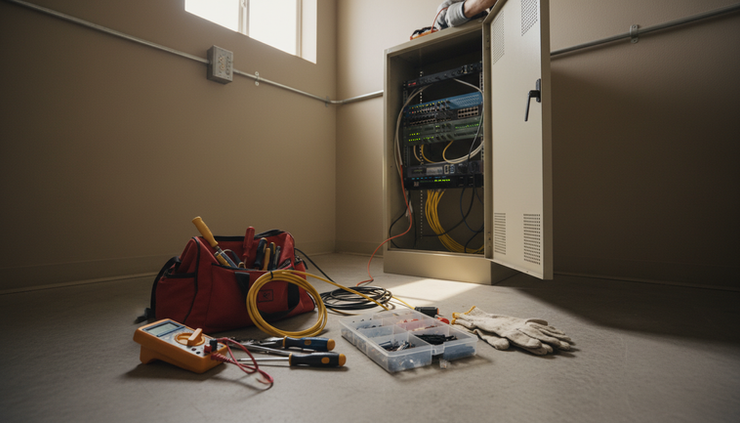
No provider can prevent every issue. Equipment fails. Internet carriers have outages. Software updates sometimes create conflicts. What matters is how prepared the business is and how quickly the support team can respond.
A better way to handle business technology
Reliable IT support should make each workday calmer. Computers should start. Email should send. Wi-Fi should reach the places people actually work. Files should be backed up. Security should be active without getting in everyone’s way.
Desert Computer Solutions gives Phoenix businesses a practical path toward that goal. By focusing on support, security, planning, and prevention, technology becomes less of a daily obstacle and more of a steady tool.
The best next step is to look at the current state of the environment. Find the recurring problems. Check the backups. Review device age. Look at remote access and security settings. Ask whether the current support model still fits the way the business operates.
If the answer is no, it may be time to move from reactive fixes to reliable, planned support. That shift can save time, reduce stress, and give every team a stronger foundation for the work ahead.


Comments