


Essential Tips for Seamless Security Camera Installation in Mesa
Installing security cameras is one of the most effective ways to protect your home or business in Mesa. With rising concerns about safety and property protection, a well-planned security camera system can provide peace of mind and deter potential threats. However, the installation process requires careful thought to ensure the system works efficiently and covers all critical areas.
This guide offers practical tips to help you achieve a smooth and effective security camera installation in Mesa.

Plan Your Security Camera Placement
Before purchasing or installing cameras, map out the areas you want to monitor. Common spots include:
Entrances and exits
Driveways and garages
Backyards and side gates
Main hallways inside the building
Consider the layout of your property and any blind spots that could be exploited. For example, a camera overlooking a side gate hidden from street view can catch intruders attempting to enter unnoticed.
Tip: Use a sketch or photo of your property to mark camera locations. This visual aid helps avoid overlapping coverage or missing critical zones.
Choose the Right Type of Cameras
Mesa’s climate and environment influence the type of cameras you should select. Outdoor cameras need to be weatherproof and able to handle heat and dust.
Here are some common camera types suitable for Mesa installations:
Bullet cameras: Long-range and visible, good for deterring intruders.
Dome cameras: Compact and discreet, ideal for indoor use.
PTZ cameras: Pan, tilt, and zoom capabilities for flexible monitoring.
Wireless cameras: Easier to install but may require strong Wi-Fi signals.
Make sure the cameras have night vision or infrared capabilities to capture clear footage in low light conditions.
Ensure Proper Wiring and Power Supply
Wiring is a critical part of installation that affects camera performance. If you opt for wired cameras, plan the cable routes carefully to avoid damage and interference.
Use weather-resistant cables for outdoor runs.
Keep cables away from electrical lines to prevent signal issues.
Consider conduit pipes to protect cables from physical damage.
For power, some cameras use Power over Ethernet (PoE), which simplifies wiring by combining data and power in one cable. Others require separate power adapters.
Tip: If you’re not comfortable with electrical work, hire a professional to handle wiring safely.

Position Cameras for Optimal Coverage
Camera angle and height affect the quality of footage and coverage area. Mount cameras high enough to avoid tampering but low enough to capture clear facial features.
Aim cameras at entry points and areas with valuable assets.
Avoid pointing cameras directly into bright light sources like the sun or street lamps.
Use wide-angle lenses to cover larger areas with fewer cameras.
Test camera views before finalizing installation to ensure no blind spots remain.
Secure Your System Against Cyber Threats
Modern security cameras often connect to the internet for remote viewing. This convenience comes with risks if the system is not secured properly.
Change default passwords immediately.
Use strong, unique passwords for camera accounts.
Keep firmware updated to patch security vulnerabilities.
Set up a separate network for security devices if possible.
Mesa residents should be aware that unsecured cameras can be hacked, compromising privacy and security.
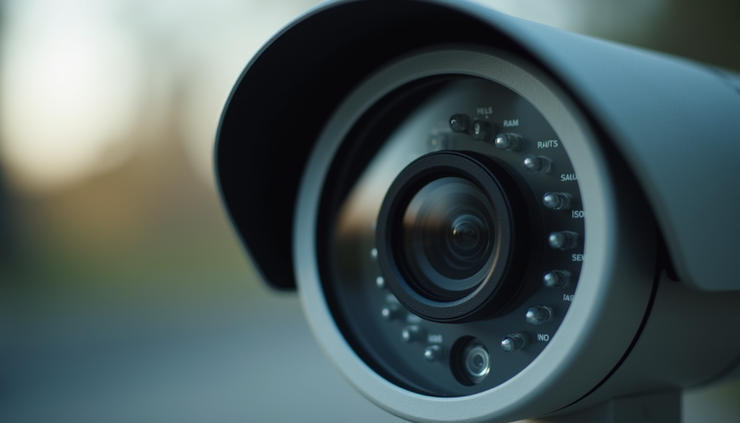
Test and Maintain Your Security Cameras Regularly
After installation, test each camera to confirm it records and streams footage correctly. Check the following:
Video clarity day and night
Motion detection sensitivity
Recording and storage functionality
Regular maintenance keeps the system reliable. Clean lenses to avoid blurry images and inspect mounts for stability. Replace or repair damaged components promptly.
Work with Local Professionals When Needed
While DIY installation is possible, working with local Mesa security experts can save time and ensure the system meets your needs. Professionals understand local crime patterns and can recommend the best camera types and placements.
They also handle permits or regulations related to surveillance equipment, helping you avoid legal issues.
Installing security cameras in Mesa requires thoughtful planning and execution to protect your property effectively. By choosing the right cameras, positioning them strategically, securing your system, and maintaining it regularly, you create a strong safety net. Whether you decide to install the system yourself or hire a professional, these tips will help you build a reliable security setup that works for your unique needs.


Comments