


Expert Guide to Office TV Mounting Installation by Desert Computer Solutions
Installing a TV in an office space can transform the way teams communicate, share information, and collaborate. However, mounting a TV properly requires more than just hanging it on the wall. It involves careful planning, the right tools, and professional expertise to ensure safety, functionality, and aesthetics. Desert Computer Solutions offers expert office TV mounting installation services that take the hassle out of the process and deliver a polished, reliable setup.

Why Professional TV Mounting Matters in Offices
A TV mounted incorrectly can cause damage to walls, pose safety risks, and reduce the viewing experience. Offices often have unique challenges such as:
Different wall materials (drywall, concrete, brick)
Cable management needs to keep wires hidden and organized
Optimal viewing angles for multiple viewers
Integration with other office technology like video conferencing systems
Desert Computer Solutions understands these challenges and provides tailored solutions that fit the specific needs of your office space. Their expertise ensures the TV is mounted securely and positioned for the best visibility.
Steps Involved in Office TV Mounting Installation
1. Site Assessment and Planning
Before any installation, a thorough assessment of the office space is essential. This includes:
Measuring wall space and TV dimensions
Checking wall type and structure to determine the right mounting hardware
Identifying power outlets and cable routing paths
Discussing with clients the preferred viewing height and angle
This step helps avoid surprises during installation and ensures the final setup meets your expectations.
2. Choosing the Right Mount and Hardware
There are several types of TV mounts, each suited for different needs:
Fixed mounts hold the TV flat against the wall.
Tilting mounts allow vertical angle adjustments.
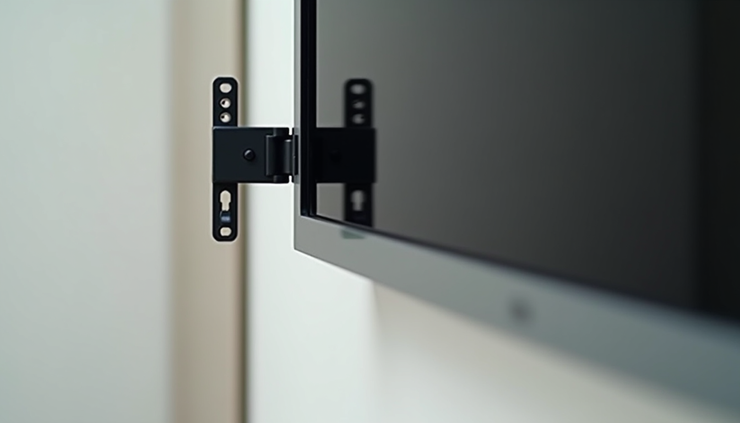
Full-motion mounts enable swiveling and extending the TV away from the wall.
Desert Computer Solutions recommends the best mount type based on your office layout and usage. They also use high-quality hardware to guarantee stability and safety.
3. Professional Installation and Cable Management
The installation team carefully drills and secures the mount to the wall studs or anchors, ensuring the TV can support its weight safely. They also handle cable management by:
Concealing wires inside wall channels or raceways
Labeling cables for easy identification
Connecting power and AV equipment neatly
This results in a clean, clutter-free appearance that enhances the office environment.
Benefits of Using Desert Computer Solutions for Your Office TV Mounting
Safety and Reliability
Improper mounting can lead to TVs falling, causing injuries or damage. Desert Computer Solutions uses industry-standard practices and equipment to ensure your TV stays firmly in place.
Time and Cost Efficiency
DIY mounting can take hours and may require multiple attempts. Professionals complete the job quickly and correctly the first time, saving you time and potential repair costs.
Customized Solutions
Every office is different. Desert Computer Solutions offers personalized consultations to match your specific needs, whether it’s a small conference room or a large open workspace.
Post-Installation Support
They provide follow-up services to address any issues and offer advice on maintenance or upgrades.

Tips for Maintaining Your Mounted Office TV
Regularly check the mount and screws for any loosening.
Keep cables dust-free and organized to avoid wear.
Avoid hanging heavy objects near the TV that could cause vibrations.
Use surge protectors to safeguard your TV from power spikes.


Comments