


Expert Guide to Wireless Access Point Installation by Desert Computer Solutions Glendale
Wireless access points (WAPs) play a crucial role in creating reliable and fast Wi-Fi networks. Whether you run a small business, manage a busy office, or want to improve your home network, installing WAPs correctly can make all the difference. Desert Computer Solutions in Glendale offers expert installation services that ensure your wireless network performs at its best. This guide explains what wireless access points are, why professional installation matters, and how Desert Computer Solutions can help you get the most from your network.

What Is a Wireless Access Point and Why It Matters
A wireless access point is a device that connects to a wired network and allows wireless devices to connect to that network. Unlike a router, which often combines multiple functions, a WAP focuses solely on extending wireless coverage. This is especially useful in larger spaces or buildings with thick walls where Wi-Fi signals struggle to reach every corner.
Installing WAPs improves:
Network coverage by eliminating dead zones
Connection speed by reducing congestion on a single router
Device capacity by supporting more simultaneous connections
For example, a Glendale-based retail store with multiple rooms and thick walls can use several WAPs to provide seamless Wi-Fi for staff and customers. Without proper placement and installation, users might experience slow speeds or dropped connections.
Why Professional Installation Makes a Difference
Many people try to install wireless access points themselves, but this often leads to poor performance. Professional installation by Desert Computer Solutions ensures:
Optimal placement based on building layout and materials
Proper configuration to avoid interference and channel overlap
Secure setup to protect your network from unauthorized access
Integration with existing network infrastructure for smooth operation
Desert Computer Solutions technicians use tools to analyze signal strength and interference, then position WAPs where they deliver the best coverage. They also configure settings like SSIDs, encryption, and bandwidth allocation to match your needs.
Step-by-Step Wireless Access Point Installation Process
Understanding the installation process helps you appreciate the value of expert service. Here’s how Desert Computer Solutions approaches WAP installation in Glendale:
Site Survey
The team inspects your location to identify areas with weak or no Wi-Fi signal. They consider building materials, furniture placement, and device density.
Network Design
Based on the survey, they design a network layout showing where each WAP will go. This plan ensures full coverage and minimal interference.
Hardware Selection
They recommend WAP models that fit your environment and budget, whether you need basic coverage or high-performance devices for heavy use.
Installation and Mounting
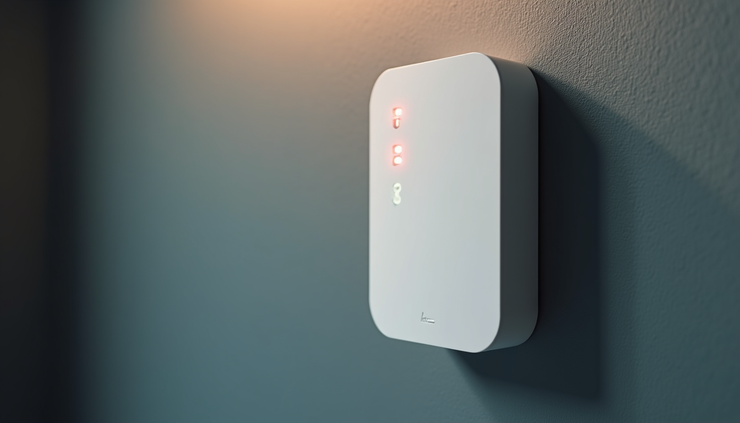
Technicians mount the WAPs on walls or ceilings, ensuring secure and neat installation. They run necessary cables and connect devices to your network.
Configuration and Testing
Each WAP is configured with the right settings, including security protocols like WPA3. The team tests signal strength and speed throughout the area.
User Training and Support
After installation, Desert Computer Solutions provides guidance on managing your network and offers ongoing support if issues arise.

Common Challenges and How Experts Solve Them
Wireless networks face several challenges that can reduce performance:
Signal interference from other wireless devices or physical barriers
Overlapping channels causing congestion
Insufficient coverage in large or complex spaces
Security vulnerabilities from weak configurations
Desert Computer Solutions addresses these by:
Using spectrum analysis tools to find clear channels
Strategically placing WAPs to avoid interference and cover all areas
Applying strong encryption and access controls
Balancing network load across multiple access points
For example, in a Glendale warehouse with metal shelving that blocks signals, the team might install WAPs in open aisles and use directional antennas to focus coverage where needed.
Benefits of Choosing Desert Computer Solutions in Glendale
Choosing a local expert like Desert Computer Solutions offers several advantages:
Local knowledge of Glendale building styles and common network issues
Quick response times for installation and support
Customized solutions tailored to your specific environment and needs
Experienced technicians trained in the latest wireless technologies
Clients report improved network reliability, faster speeds, and fewer connection drops after professional installation. This leads to better productivity and a smoother experience for everyone using the network.
Next Steps to Improve Your Wireless Network
If you struggle with slow Wi-Fi or dead zones, professional wireless access point installation can solve these problems. Contact Desert Computer Solutions in Glendale to schedule a site survey and get a custom network design. Investing in expert installation ensures your wireless network supports your devices and users reliably.


Comments